API Keys
Esta página aún no está disponible en tu idioma.
The API Keys section allows you to generate and manage secure tokens for your project. These keys are essential for granting external applications, scripts, or third-party tools access to your project’s API without exposing user credentials.
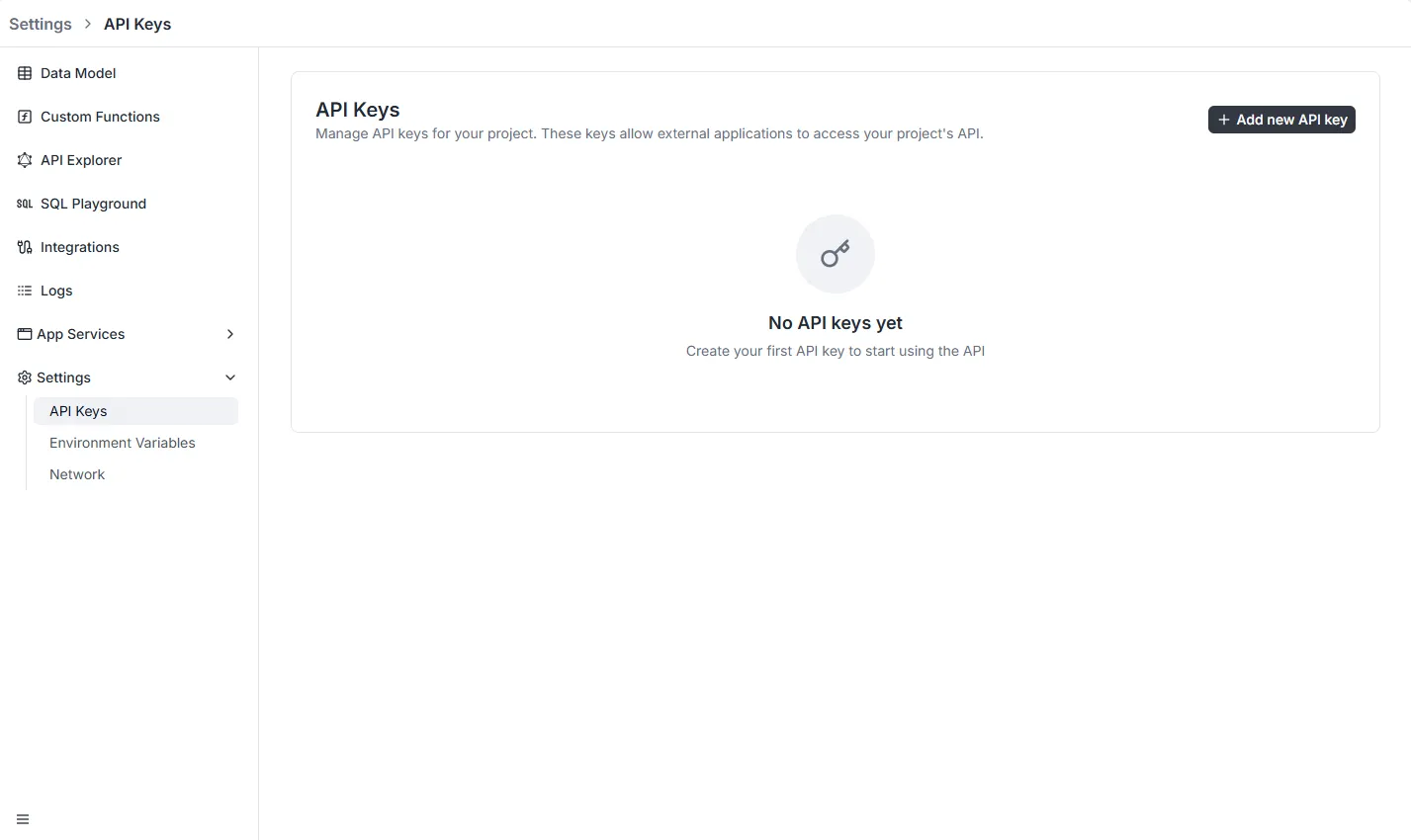
To access this section, navigate to Settings > API Keys in the left-hand sidebar menu.
Creating a New API Key
Section titled “Creating a New API Key”To generate a new credential:
- Click the black + Add new API key button located in the top-right corner of the dashboard.
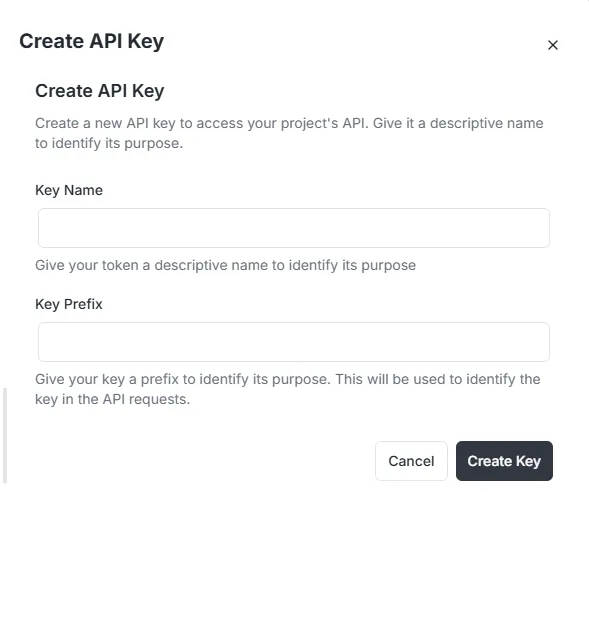
- A configuration modal titled Create API Key will appear.
- Fill in the required fields to define the key’s purpose and structure.
Configuration Fields
Section titled “Configuration Fields”- Key Name: Enter a descriptive name for the key (e.g., “Mobile App”, “Backend Job”). This helps you identify the key’s purpose later in the dashboard.
- Key Prefix: Enter a short string to serve as a prefix. This value helps identify the specific key within API requests and logs.
Once configured, click the Create Key button to finalize the process and generate your token.