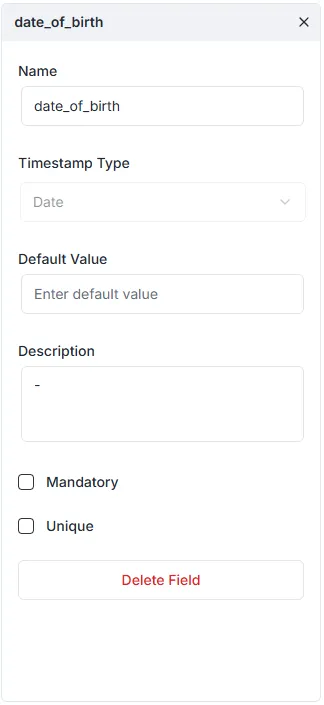
Date Field
Este conteúdo não está disponível em sua língua ainda.
The Date field is used to store temporal data. Depending on the configuration, it can handle simple calendar dates (like a birthday) or precise moments in time (like a transaction timestamp).
Configuration Properties
Section titled “Configuration Properties”When configuring a Date field in the right-hand sidebar, the following settings are available:
- Name: The unique system identifier for the field (e.g.,
date_of_birth,created_at). - Timestamp Type: Defines how the database stores the time data. There are three specific options:
- Date: Stores only the calendar date (Year, Month, Day). No time information is recorded. Best for birthdays or holidays.
- Timestamp with time zone: Stores both the date and time, adjusting for time zones. This is the recommended setting for recording specific moments in history (like when a user logs in), as it normalizes data to UTC.
- Timestamp without time zone: Stores the date and time exactly as entered, ignoring time zones. Best for abstract concepts like “Shop opens at 9:00 AM” (which applies regardless of where the viewer is).
- Default Value: A value that will be automatically assigned to the field if no data is provided. This is often used for setting a record’s creation time automatically.
- Description: An optional text box to describe the purpose of the field.
- Mandatory: If enabled, enforces a
NOT NULLconstraint. The record cannot be saved without a date. - Unique: If enabled, ensures that no two records have the same date/time value.